Agco Edt
BINTA OBD2 Scanner for Cars with Real-Time Data & Car Battery Test | BINTA OBDII Scanner Code Reader for 1996+ Engine L
Description
Quick & Easy Specs
Perfectly Diagnose Your Car's Issues Efficiently
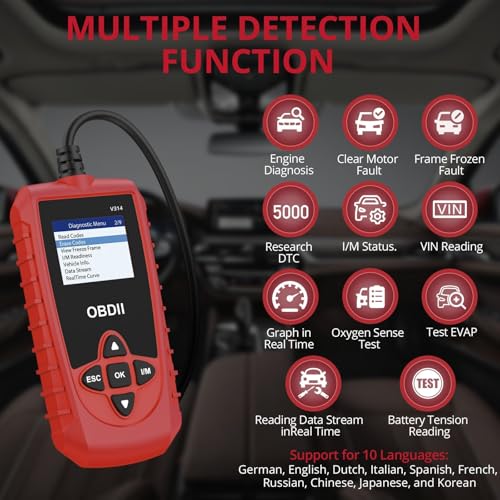
Trigger Check for Engine Light Effortlessly pinpoint the cause of your car's check engine light with our efficient car code reader.
Quick Trouble Codes Swiftly read and clear any diagnostic trouble codes, ensuring your car runs smoothly.
Access Data Streams Gain immediate access to live and stored data, providing you with the insights you need.
Freeze Frame Data Review Review freeze frame data to understand the exact conditions when a trouble code was triggered.
DTC Lookup Perform DTC lookups to identify specific trouble codes easily.
O2 Sensor Testing Conduct thorough O2 sensor testing to ensure optimal emission performance and fuel efficiency.
I/M Monitor Readiness Check Check the readiness of I/M monitors to ensure your car meets emissions requirements.
Vital Vehicle Information Gather essential vehicle information such as VIN, CID, and CVN for quick reference.
Universal Compatibility for Diverse Vehicles
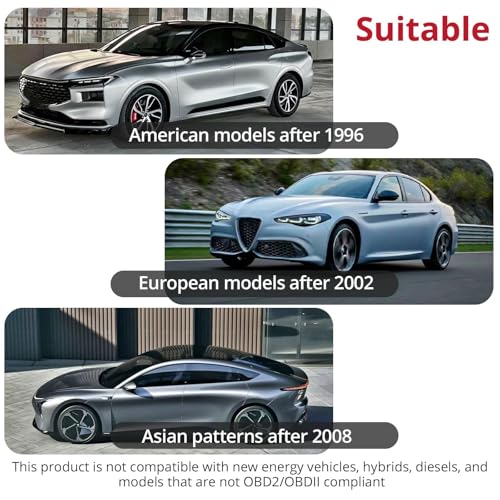
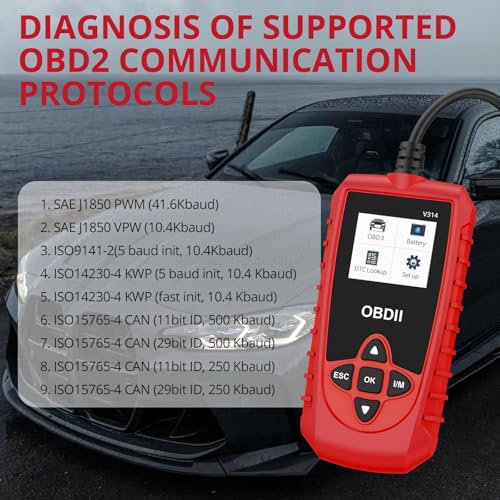
Broader Compatibility Our diagnostic tool supports a wide range of vehicles, including 1996 US-based models, 2002 EU-based models, and 2008 Asian cars, as well as light trucks, SUVs, and newer OBD2 and CAN vehicles. Compatible with both domestic and foreign brands.
Language Support Providing precise diagnostics for car owners worldwide, our tool supports 10 languages including English, German, Italian, Dutch, French, Spanish, Chinese, Russian, Japanese, and Korean.
Comprehensive 2-in-1 Scanner
Dual Functionality Our car scanner offers both OBD diagnostics and advanced battery check features, making it a versatile tool for all your vehicle needs.
Real-time Data Stream Reading Read real-time data streams for immediate problem identification and quick resolution.
Vehicle Information Retrieval Retrieve essential vehicle information such as VIN, CID, and CVN, ensuring you have all necessary details at your fingertips.
Data Storage and Playback Store and play back test data for record-keeping and future reference.
Compact and Portable Design
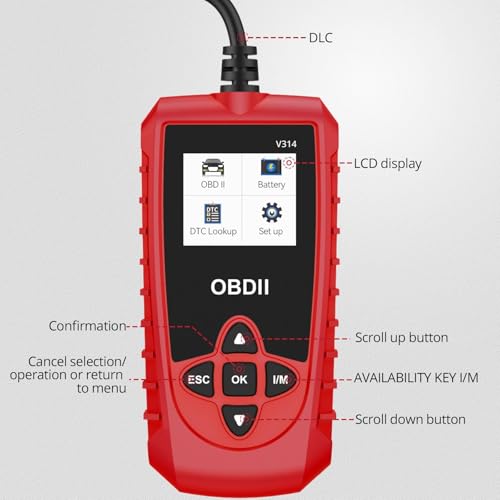
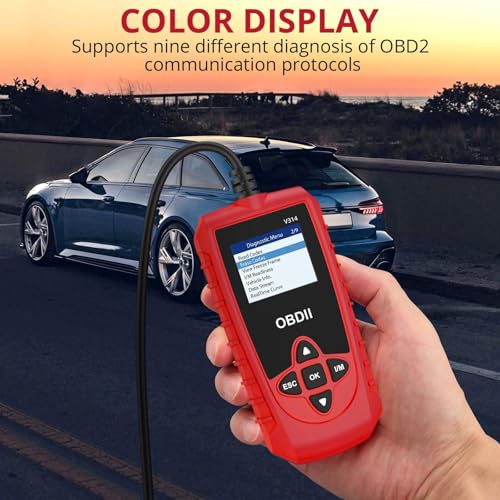
Crystal-clear Display Enjoy crystal-clear visibility of test results on our 1.8" LCD display screen.
Plug & Play Easily connect to your vehicle via the OBDII port and start the engine to establish the connection. No need for a separate battery or charger; it draws power directly from your vehicle.
Perfect Size for Portability Compact and lightweight design makes it easy to use in any vehicle.
Easy to Use with Guidance
Simple Connection Plug the OBD2 scanner into your vehicle's OBDII port, start the engine, and press the OK button to connect. For live data viewing, simply start the engine.
Support and Assistance In case of connection issues, our team is here to assist promptly. Reach out to BINTA directly for help.
Choose our comprehensive car diagnostics tool and enjoy peace of mind knowing your car is running at its best.